Evaluating Spalshy Procreate Brushes for Digital Art and Design
Digital illustration has evolved into a sophisticated discipline where the right tools can significantly influence workflow efficiency and artistic outcome. Among the myriad of assets available for iPad artists, Spalshy Procreate Brushes presents itself as a curated collection designed to streamline the creative process. This package aims to provide a versatile toolkit suitable for various applications, ranging from logo design to complex illustrations and textured backgrounds. Understanding what this bundle offers, how it integrates into the Procreate ecosystem, and whether it aligns with specific artistic needs is essential for making an informed purchasing decision.
Understanding the Core Components
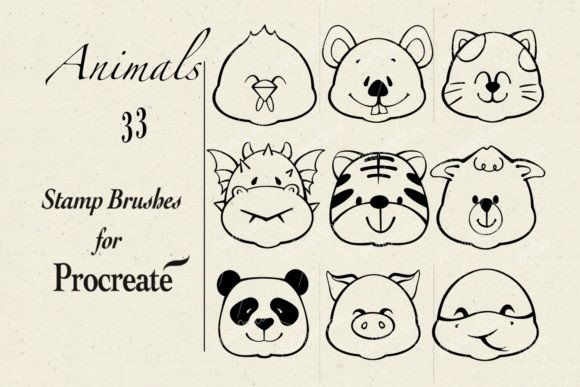
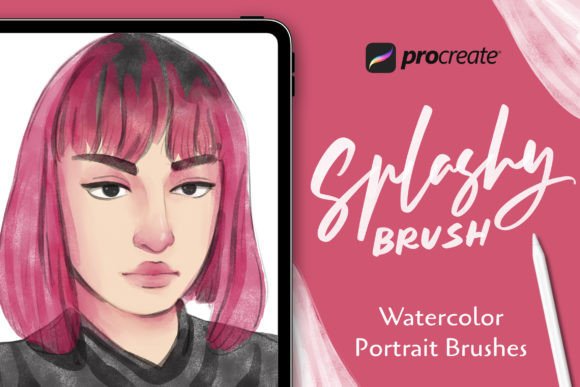
The primary value proposition of Spalshy Procreate Brushes lies in its diversity. Rather than focusing on a single style, such as hyper-realistic pencil sketches or intricate inking tools, this set aggregates twenty distinct brushes across several categories. The inclusion of Sketch, Watercolor, Paper Texture, Splash, and Stamp brushes suggests a hybrid approach intended to support mixed-media styles within a digital environment.
For artists who frequently switch between conceptual sketching and final rendering, having these varied tools in a single panel reduces the need to purchase multiple specialized packs. The Sketch brushes are typically utilized for initial ideation and rough layouts, offering a responsive feel that mimics traditional graphite or charcoal. Meanwhile, the Watercolor and Splash brushes introduce organic unpredictability, allowing for fluid color blending and dynamic accents that are often difficult to achieve with standard digital tools.
Practical Applications and Use Cases
One of the notable aspects of this brush set is its advertised versatility for commercial and personal projects. The package is marketed as suitable for making logos, illustrations, and special backgrounds. This broad applicability makes it an interesting option for freelance designers who need to adapt quickly to different client requirements.
- Logo Design: The stamp and splash brushes can add unique, hand-crafted elements to vector-based logos, providing a human touch that distinguishes brand identity.
- Illustrations: Combining watercolor textures with precise sketch lines allows for a layered aesthetic that appeals to editorial and book illustration markets.
- Background Creation: Paper texture brushes are particularly useful for adding depth and tactile quality to flat digital designs, preventing them from appearing overly sterile.
The simplicity of use is another factor worth considering. The workflow involves selecting the appropriate brush from the panel and applying strokes directly to the canvas. This low barrier to entry means that even users with intermediate Procreate skills can immediately begin experimenting without a steep learning curve associated with complex brush settings.
Installation and Technical Integration
Technical ease of use is a critical consideration for digital assets. Spalshy Procreate Brushes utilizes the standard .brushset file format, which is native to Procreate. The installation process is straightforward: users unzip the downloaded file on their iPad or computer, transfer the files to their device, and use the Files App to tap and import them. Once imported, the brushes appear instantly in the Brushes panel.
This seamless integration ensures that there is no need for third-party software or complicated configuration. For users who manage large libraries of assets, the ability to import entire sets at once rather than individual brushes saves considerable time. However, it is important to note that this requires a relatively recent version of Procreate to ensure full compatibility with all brush engine features.
Benefits and Tradeoffs
When evaluating Spalshy Procreate Brushes, it is necessary to weigh the benefits against potential limitations. On the positive side, the all-in-one nature of the package provides immediate value. Instead of curating individual tools from various creators, users receive a cohesive set that covers the foundational aspects of digital painting. The inclusion of a README file also aids in troubleshooting and understanding best practices for each brush type.
However, there are tradeoffs to consider. A set of twenty brushes, while diverse, may not offer the depth required by highly specialized professionals. For instance, a dedicated watercolor artist might find the two or three watercolor brushes in this pack insufficient compared to a specialized pack containing fifty variations of wet-on-wet and dry-brush techniques. Similarly, graphic designers seeking precise vector-like control may find the organic nature of splash and stamp brushes less predictable than custom-shaped tools.
Another consideration is the uniqueness of the assets. Because these brushes are available to anyone who purchases the package, there is a possibility that other artists may produce similar visual effects. For those building a highly distinctive personal brand, relying solely on popular pre-made brushes might limit differentiation unless significant customization is applied.
Who Is This Package Best Suited For?
This brush set is likely a strong fit for several specific audiences:
- Beginners to Intermediate Users: Those new to Procreate who want a starter kit that covers multiple styles without overwhelming them with hundreds of options.
- Generalist Illustrators: Artists who work across various mediums and need a reliable, go-to set for quick projects, social media content, or concept art.
- Designers Seeking Texture: Professionals who primarily work in vector or clean digital styles but occasionally need to add organic texture or hand-drawn elements to break up uniformity.
In these scenarios, the convenience and breadth of Spalshy Procreate Brushes align well with user goals. The ability to quickly switch from a sketch tool to a texture stamp facilitates a fluid creative process.
When to Consider Alternatives
Conversely, there are situations where alternative solutions may be more appropriate. If your work demands hyper-specific realism, such as photorealistic portrait painting or architectural rendering, you may benefit more from specialized brush sets focused exclusively on those niches. Additionally, if you already possess a large library of high-quality brushes, adding another generalist pack might result in redundancy.
Artists who prioritize complete control over every aspect of their toolset might prefer creating custom brushes from scratch or purchasing advanced packs that allow for deep parameter adjustment. While Spalshy Procreate Brushes is easy to use, it may lack the granular customization options that power users require for highly technical workflows.
Making the Decision
Ultimately, the decision to invest in Spalshy Procreate Brushes should depend on your current toolkit gaps and artistic objectives. If you are looking for a versatile, easy-to-install collection that enhances your ability to create textured, organic, and mixed-media designs, this package offers a practical solution. It removes the friction of searching for individual tools and provides a solid foundation for a variety of creative tasks.
Before purchasing, review your existing brush library to avoid duplication. Consider whether the included categories—Sketch, Watercolor, Paper Texture, Splash, and Stamp—address the specific challenges you face in your current projects. By aligning the tool’s capabilities with your workflow needs, you can determine if this set will serve as a valuable addition to your digital studio.