Atelier Procreate Studio: A Comprehensive Review for Digital Artists
For digital artists working on the iPad, the sheer volume of available brush sets can be overwhelming. Many creators find themselves purchasing multiple packs, only to discover that a significant portion of the brushes are redundant or fail to deliver authentic results. Atelier Procreate Studio emerges as a solution to this fragmentation, offering a consolidated collection designed to mimic real-world art materials without the bloat. This article evaluates the set’s composition, performance, and suitability for various artistic workflows to help you determine if it aligns with your creative needs.
The Philosophy Behind the Collection
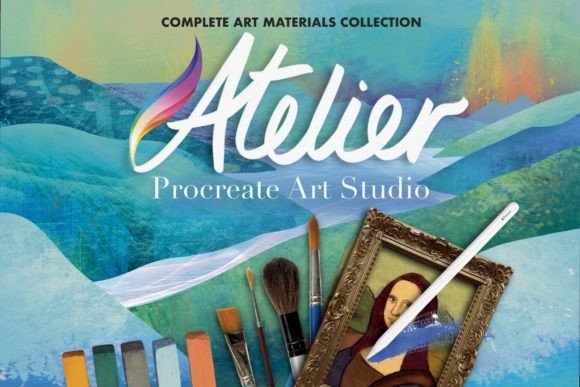
The core premise of Atelier Procreate Studio is efficiency and authenticity. Created by Mels Brushes, a developer with fifteen years of experience in digital brush creation dating back to 2006, this set aims to strip away the unnecessary extras often found in larger bundles. Instead of providing hundreds of variations that behave identically, the collection is pared down to essential tools for each medium. With just over forty brushes, it functions as a compact, complete art studio accessible directly on your iPad.
This approach addresses a common pain point for Procreate users: decision fatigue. When every pencil or watercolor brush looks and behaves similarly, the time spent testing them detracts from actual creation. By focusing on distinct, high-quality essentials, Atelier Procreate Studio allows artists to spend less time configuring tools and more time focusing on technique and composition.
Material Authenticity and Performance
A primary consideration for any digital brush set is how well it simulates traditional media. Atelier Procreate Studio is built on the foundation of real art materials, aiming for highly true-to-life finishes. The brushes cover a wide spectrum of mediums, including:
- Dry Media: Pencils, charcoal, and pastels that replicate grain and texture.
- Wet Media: Watercolour, acrylics, oil paint, and gouache with realistic blending and drying behaviors.
- Inking and Marking: Pens, ink brushes, and marker pens for precise line work and bold strokes.
Beyond standard painting tools, the set includes utility brushes such as shaders, airbrushes, grunge textures, splatters, and stipple effects. These additions provide versatility for adding depth, atmosphere, or stylistic flair to a piece without requiring external assets. The performance is optimized for speed and smoothness, ensuring that the digital experience feels satisfying and responsive, which is critical for maintaining creative flow.
Evaluating the Value Proposition
When assessing whether to invest in Atelier Procreate Studio, it is important to look beyond the number of brushes included. The file size of 197MB indicates a moderate level of complexity and texture detail, which is reasonable for a set of this scope. Additionally, the inclusion of twelve background textures at 3000 x 2000px and 300dpi adds tangible value, providing ready-made canvases that complement the brush styles.
The tradeoff here is quantity versus curation. If you are an artist who enjoys experimenting with hundreds of niche brushes or requires highly specialized tools for specific industrial design tasks, this curated set may feel limited. However, for illustrators, concept artists, and hobbyists who prefer a streamlined workflow, the reduction in clutter is a significant benefit. The set encourages mastery of a few versatile tools rather than superficial experimentation with many.
Ideal Use Cases
Atelier Procreate Studio is particularly well-suited for several types of users:
- Traditional Artists Transitioning to Digital: Because the brushes are modeled after real materials, artists familiar with oils, watercolors, or charcoal will find the transition intuitive. The behavioral logic of the brushes mirrors physical expectations, reducing the learning curve.
- Minimalist Workflows: Artists who prefer a clean interface and quick access to reliable tools will appreciate the organized nature of the set. It eliminates the need to scroll through endless folders to find a usable brush.
- Students and Educators: For those teaching digital art fundamentals, having a standardized set of high-quality tools ensures that lessons focus on technique rather than troubleshooting inconsistent brush settings.
When to Consider Alternatives
While Atelier Procreate Studio offers a robust general-purpose toolkit, it may not be the optimal choice for every scenario. Specialized professionals might require more targeted solutions. For instance, comic book artists who need extensive halftone patterns or specific screentone effects might find dedicated inking packs more suitable. Similarly, texture artists working in 3D pipelines may need higher resolution maps or specific displacement brushes that go beyond the scope of a 2D illustration set.
Furthermore, if you already own a comprehensive library of brushes from other reputable creators, you should audit your existing assets before purchasing. There may be overlap, particularly in basic categories like pencils and markers. The value of Atelier Procreate Studio lies in its cohesion; if you already have a preferred watercolor brush that works perfectly for you, replacing it solely for the sake of completeness may not yield a noticeable improvement in your final output.
Practical Decision-Making Insights
To determine if this set fits your goals, consider your current workflow frustrations. Do you spend excessive time searching for the right brush? Do you feel that your current tools lack authentic texture or blending capabilities? If the answer is yes, Atelier Procreate Studio provides a structured alternative that prioritizes quality over quantity.
It is also worth noting the developer’s track record. Mels Brushes has been active since 2006, suggesting a deep understanding of digital art evolution and user needs. This longevity often correlates with better support and more refined product development compared to newer, untested vendors.
Ultimately, the decision hinges on your preference for curation. If you value a streamlined, professional-grade toolkit that covers all major artistic bases without unnecessary bulk, this collection offers a compelling option. It serves as a reliable foundation for digital creation, allowing you to focus on artistic expression rather than tool management. For those seeking a balanced, objective upgrade to their Procreate arsenal, Atelier Procreate Studio warrants serious consideration as a central component of their digital studio.