Evaluating the Pencil Brush for Procreate: A Practical Guide to Digital Sketching
Digital illustration has evolved significantly, moving beyond flat vector lines to emulate the tactile experience of traditional media. For artists using Apple’s iPad ecosystem, the Pencil Brush for Procreate represents a specific toolset designed to bridge the gap between physical sketching and digital convenience. This article examines the functionality, benefits, and limitations of this brush set, helping you determine if it aligns with your artistic workflow and hardware setup.
Understanding the Toolset
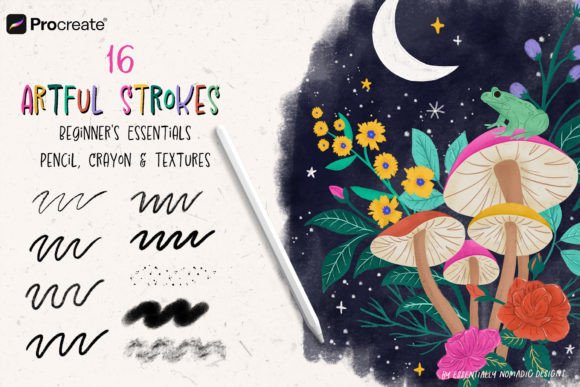
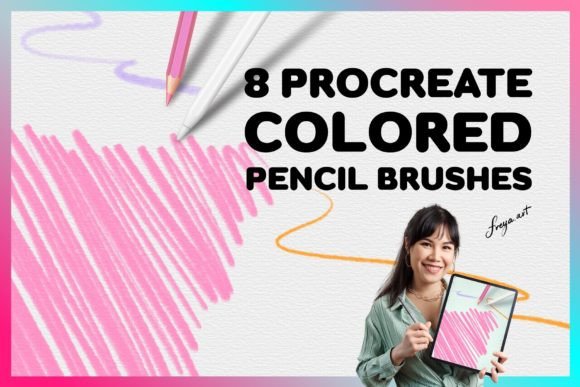
The core product under discussion is a specialized collection of digital brushes engineered specifically for the Procreate application. Unlike standard round or square brushes that produce uniform strokes, these tools are programmed to mimic the granular texture, opacity variation, and edge softness of real colored pencils. The specific set in question includes eight distinct colored pencil brushes, each tuned to replicate different leads, pressures, and blending characteristics. Additionally, the package provides one bonus paper texture, which serves as a foundational layer to enhance the realism of the stroke interaction.
It is crucial to understand the technical constraints immediately. These assets are formatted exclusively for Procreate on the iPad. They are not compatible with Adobe Photoshop, Clip Studio Paint, or desktop-based illustration software. This exclusivity means that your evaluation must begin with your chosen platform. If your workflow relies heavily on cross-platform compatibility or desktop-centric applications, this specific toolset will not integrate into your pipeline.
Why Artists Choose Digital Pencils
The primary motivation for adopting a Pencil Brush for Procreate is the desire for organic expression within a non-destructive environment. Traditional colored pencils require significant maintenance, including sharpening, paper selection, and fixative sprays. Digital alternatives eliminate these material costs and physical constraints while offering unlimited undo options and layer management.
Artists often seek these brushes when they want to achieve a hand-drawn aesthetic without the mess of physical media. The granular texture provided by these brushes allows for subtle shading and hatching techniques that are difficult to replicate with standard digital tools. The inclusion of varied brush tips within the set of eight allows users to switch between sharp detailing and broader shading strokes, mimicking the way an artist might rotate a physical pencil to use different parts of the lead.
Performance and Hardware Considerations
To fully leverage the capabilities of this brush set, hardware plays a pivotal role. The brushes are engineered to rely heavily on pressure sensitivity. Consequently, they work best when used with the Apple Pencil. While finger painting is possible in Procreate, it lacks the nuanced pressure data required to activate the dynamic opacity and size variations built into these pencil algorithms. Without an Apple Pencil, the strokes may appear flat and inconsistent, failing to deliver the intended realistic effect.
The instant download nature of the product means there is no shipping wait time, allowing for immediate integration into your library. However, this also implies that there is no physical trial period. Users must rely on previews and descriptions to gauge suitability before purchase. Once downloaded, the installation process is straightforward, typically involving importing the .brushset file directly into Procreate.
Benefits and Tradeoffs
When evaluating whether to incorporate this set into your toolkit, consider the following balanced perspective:
- Realistic Texture: The primary benefit is the authentic look of graphite or colored pigment on paper. The bonus paper texture enhances this by providing a toothy surface that catches the digital "lead," preventing strokes from looking too smooth or plastic.
- Workflow Efficiency: Having eight pre-configured variations saves time compared to manually adjusting standard brush settings. Users can quickly switch between hard edges for outlines and soft edges for blending.
- Platform Limitation: As noted, the inability to use these brushes outside of Procreate is a significant tradeoff. Artists who hybridize their workflow between iPad and desktop may find this restrictive.
- Learning Curve: While intuitive for those familiar with traditional pencils, digital pressure sensitivity requires practice. Users accustomed to uniform vector lines may need time to adjust their hand pressure to achieve consistent results.
Ideal Use Cases
This toolset is a strong fit for illustrators, concept artists, and hobbyists who prioritize a sketch-like or painterly aesthetic. It is particularly effective for character design, where soft shading and organic line weight contribute to a lively appearance. Journalers and note-takers who use Procreate for digital planning may also find these brushes appealing for adding hand-written elements or decorative borders that feel personal and imperfect.
Furthermore, educators teaching digital art fundamentals may use these brushes to help students transition from traditional media. The familiarity of the pencil interface can reduce the intimidation factor often associated with switching to digital platforms.
When to Consider Alternatives
Despite their advantages, there are scenarios where alternative tools may be more appropriate. If your goal is clean, scalable vector graphics for logo design or technical illustration, raster-based pencil brushes are not suitable. In such cases, vector apps like Adobe Illustrator or Affinity Designer are better choices.
Additionally, if you require advanced photo manipulation combined with painting, Photoshop remains the industry standard. While Procreate is powerful, its layer limits and lack of certain adjustment features may hinder complex composite work. If you already own extensive brush libraries for Photoshop, investing in a Procreate-specific set might result in redundant tools unless you specifically value the mobile workflow.
Making the Decision
Deciding whether to acquire this Set of 8 Procreate Colored Pencil Brushes depends on your current artistic goals and hardware. Ask yourself the following questions:
- Do I primarily create art on an iPad using Procreate?
- Do I own an Apple Pencil to utilize pressure sensitivity effectively?
- Is my desired aesthetic organic, textured, and hand-drawn rather than clean and vector-based?
- Am I comfortable with a digital-only asset that cannot be transferred to desktop software?
If the answer to these questions is yes, this brush set offers a streamlined way to enhance your digital sketching capabilities. The inclusion of paper textures adds value by providing an immediate context for the brushes, reducing the need to source external backgrounds. However, if you work across multiple platforms or prefer precise, geometric lines, you may find limited utility in this specific collection.
Ultimately, the Pencil Brush for Procreate is a specialized tool designed for a specific user base. It excels in emulating the tactile joy of traditional drawing while leveraging the flexibility of digital layers. By understanding its limitations regarding software compatibility and hardware requirements, you can make an informed decision that supports your creative evolution.