Fade Shade Photoshop Brush Set Guide
Digital art often struggles with a specific paradox: it is infinitely editable, yet it can feel sterile. The clean lines and perfect gradients of vector tools or standard digital brushes sometimes lack the organic imperfections that make an image feel tangible. This is where the Fade Shade Photoshop Brush Set steps in, bridging the gap between digital precision and analog warmth. For illustrators, lettering artists, and graphic designers, adding texture is not just about decoration; it is about grounding your work in reality.
These brushes are not merely random noise generators. They have been sampled from real-life textures and digitally manipulated to function as seamless patterns. This process ensures that when you apply a stroke, it behaves like a physical medium—whether that is charcoal, weathered paper, or soft fabric. The result is a toolset that allows you to add shadows smoothly, blending effortlessly into your existing artwork without creating harsh, artificial edges.
The Anatomy of the Brush Set
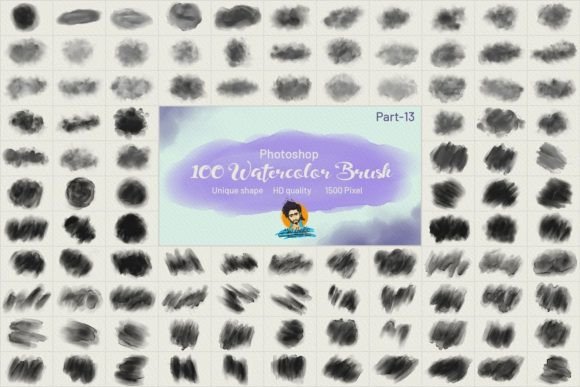
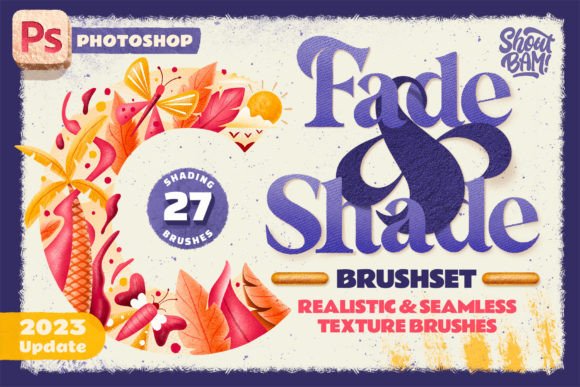
Understanding the composition of this set helps in utilizing it effectively. The collection is divided into two primary categories, each serving a distinct purpose in the creative workflow. First, there are 10 Shading Brushes. These are designed for depth. Unlike standard soft-round brushes that simply lower opacity, these shading tools carry texture within their fade. This means that as you build up shadow, you are also building up grain and character. It prevents the "muddy" look that often occurs when layering multiple semi-transparent strokes.
Second, the set includes 15 Texture Brushes, with an additional 2 extra texture brushes included specifically for the Photoshop version. These are your atmospheric tools. They are ideal for adding background interest, distressing clean typography, or creating overlay effects that unify a composition. Because they are derived from real-world samples, they offer an exotic touch that is difficult to replicate with procedural generation alone.
The technical specifications are robust, ensuring compatibility with modern workflows. The zipped file size is 377.95 MB, reflecting the high resolution and detail embedded in each brush tip. The files are provided in the ABR format, ensuring seamless integration with Adobe Photoshop CC 2018 and higher. An easy-to-follow installation guide is included, making the setup process straightforward even for those who are new to custom brush libraries.
Elevating Digital Lettering and Typography
One of the most compelling applications for the Fade Shade Photoshop Brush Set is in the realm of hand-lettering and typography. Digital lettering can often appear too crisp, lacking the subtle variations in ink density that occur in traditional calligraphy. By using the shading brushes, you can mimic the way ink pools at the bottom of a curve or fades out at the end of a swift stroke.
Consider a project involving a vintage-style logo. Instead of relying solely on filters to age the text, use the texture brushes to manually add wear and tear. You can apply a light pass of a coarse texture over the letters to simulate the look of screen printing on rough cotton. This approach gives your artwork charisma and a sense of history. It transforms a flat design into something that feels like it has been handled, worn, and loved.
For social media graphics, where attention spans are short, textured typography stands out. The human eye is drawn to complexity and contrast. A bold headline rendered with a smooth gradient might be ignored, but the same headline with subtle grain and uneven shading invites closer inspection. It suggests effort and craftsmanship, which builds trust with the audience.
Creating Depth in Illustration
Illustrators often spend hours rendering light and shadow. The Fade Shade brushes streamline this process by providing pre-textured shadows. When drawing characters or environments, consistency is key. Using these brushes ensures that the shadow on a character’s face has the same textural quality as the shadow cast by a tree in the background. This visual coherence ties the entire piece together.
Try using the shading brushes for under-drawings or base layers. Because they blend seamlessly, you can lay down broad shapes of light and dark quickly. This establishes the mood early in the process. Once the values are established, you can refine details with harder brushes. The initial textured layer remains visible beneath, giving the final piece a rich, painterly quality without requiring complex layer modes or blending tricks.
Furthermore, these brushes are excellent for creating atmospheric perspective. In landscape illustrations, objects further away lose contrast and detail. By using a lighter pressure with the texture brushes, you can simulate the haze of distance. The real-life texture samples ensure that this haze looks natural, resembling mist or dust rather than a simple blur effect.
Practical Workflows for Designers and Marketers
For marketers and small business owners, the value of this set lies in its ability to create unique brand assets without hiring a specialized illustrator. You can take stock photography and integrate it more naturally into your designs. Use the texture brushes to add a unified grain over both photos and text elements. This technique, often called "noise overlay," helps disparate elements feel like they belong in the same space.
When creating presentations or educational materials, visual fatigue is a real concern. Walls of text and flat icons can be disengaging. Introducing subtle textures via the Fade Shade brushes can break up monotony. Use the shading brushes to create soft, textured backgrounds for quote slides or section dividers. This adds visual interest without distracting from the core message. It keeps the design professional yet approachable.
Freelancers can also leverage this set to speed up their delivery time. Clients often request "organic" or "hand-made" feels. Achieving this from scratch is time-consuming. With these brushes, you can achieve that aesthetic in minutes. This efficiency allows you to take on more projects or spend more time on conceptual development rather than tedious texturing.
Maintaining Consistency and Originality
While presets are powerful, over-reliance can lead to generic-looking work. To keep your results original, vary your approach. Do not use the same brush for every shadow. Rotate between the 10 shading brushes to find the one that best suits the specific material you are depicting. A soft fabric requires a different texture than rough stone. Experiment with opacity and flow settings to customize the intensity of the effect.
Organization is crucial when working with large brush sets. Consider grouping the Fade Shade brushes into a specific folder within your Photoshop brush panel. Name them clearly based on their function (e.g., "Soft Shadow," "Gritty Texture") rather than their default names. This saves time during the creative flow and allows you to focus on artistic decisions rather than hunting for tools.
Finally, remember that these brushes are tools, not solutions. They enhance good design but cannot fix poor composition. Use them to support your narrative. If the goal is clarity, use the textures sparingly. If the goal is emotion or atmosphere, let the textures dominate. The flexibility of the Fade Shade Photoshop Brush Set allows for this range, making it a versatile addition to any creative professional’s toolkit.
By integrating these real-life sampled textures into your digital workflow, you add a layer of sophistication and realism that resonates with viewers. Whether you are crafting a brand identity, illustrating a children’s book, or designing a social media campaign, these brushes provide the tactile quality that makes digital art feel human.