Mastering Water Type Procreate Brushes
Digital illustration has long struggled to replicate the organic, unpredictable beauty of traditional watercolor. The medium is defined by its fluidity, transparency, and the way pigment interacts with paper texture. For digital artists, bridging this gap often requires complex layering techniques and hours of manual adjustment. This is where specialized tools like Water Type Procreate Brushes transform the workflow. By integrating authentic watercolor behaviors directly into the iPad environment, these brushes allow creators to achieve professional-grade results with significantly less friction.
Whether you are designing a logo for a boutique coffee shop, creating educational materials for students, or illustrating a children’s book, the right toolset can elevate your work from amateur to polished. This package is not just a collection of digital stamps; it is a comprehensive system designed to mimic the physical properties of wet media. Understanding how to leverage these tools can streamline your creative process and open new avenues for artistic expression.
The Anatomy of a Versatile Brush Set
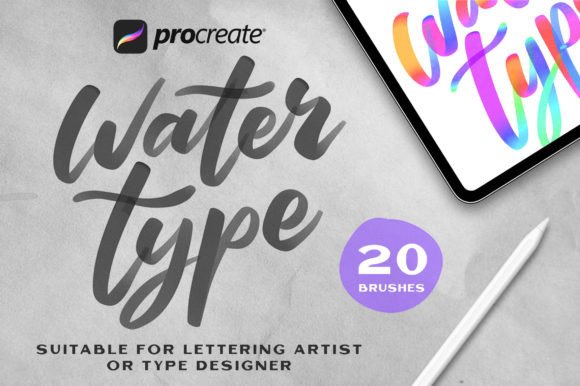
One of the most common misconceptions about digital brush packs is that more is always better. In reality, a curated selection of high-quality tools is far more valuable than hundreds of redundant options. This specific package includes twenty distinct watercolor lettering brushes, twelve general lettering brushes, three splash brushes, and five stamp brushes. This composition addresses the full spectrum of typographic and illustrative needs.
The watercolor lettering brushes are the cornerstone of the set. They are engineered to respond to pressure and tilt, mimicking the way a real brush holds and releases pigment. When you press harder, the stroke widens and darkens; when you lift slightly, the edge becomes feathered and translucent. This dynamic response is crucial for creating hand-lettered pieces that feel alive rather than static. The additional twelve lettering brushes provide variation in weight and style, allowing for hierarchy and emphasis within a single design.
Beyond text, the inclusion of splash and stamp brushes adds essential decorative elements. These are particularly useful for creating backgrounds or adding accidental-looking details that break up rigid compositions. Instead of manually painting every droplet or texture, you can place these elements strategically to enhance the organic feel of your artwork.
Practical Applications Across Industries
The utility of Water Type Procreate Brushes extends far beyond fine art. In the commercial sector, branding agencies frequently seek logos that convey warmth, authenticity, and craftsmanship. A watercolor-style logomark can suggest artisanal quality, making it ideal for businesses in the wellness, food, and fashion industries. Using these brushes, a designer can sketch out multiple concepts rapidly, testing different flows and weights without the mess of physical paints.
Educators and content creators also benefit significantly from this toolset. Teachers creating digital worksheets or presentations can use the lettering brushes to highlight key terms in a way that feels personal and engaging. Bloggers and social media managers can create unique quote graphics that stand out in crowded feeds. The human touch inherent in watercolor typography often generates higher engagement than sterile, computer-generated fonts because it feels relatable and approachable.
For freelancers and entrepreneurs, efficiency is currency. The ability to produce high-quality illustrations quickly allows for faster turnaround times on client projects. Whether you are designing wedding invitations, packaging labels, or digital stickers, having a reliable set of watercolor tools means you spend less time fighting the software and more time focusing on composition and message.
Streamlining Your Workflow
Using a brush is very simple, but mastering it requires understanding the interface. Just place the brush strokes and select the appropriate brush from the brush panel. The intuitive nature of Procreate combined with these optimized brushes reduces the learning curve. You do not need to adjust complex settings for each stroke; the brushes are pre-configured to deliver consistent results.
To get started, you must first install the files correctly. Unzip the downloaded file on your iPad or computer. Transfer .brushset files to your iPad. Using the Files App, tap each of the .brushset files to instantly import them into Procreate. They will appear in the Brushes panel. This seamless integration ensures that you can begin creating immediately after purchase, without navigating complicated installation procedures.
Once installed, experiment with layer opacity and blending modes. Watercolor effects thrive on transparency. By lowering the opacity of your layers or using multiply modes, you can simulate the buildup of pigment that occurs when watercolor paint dries in layers. This technique adds depth and realism to your digital pieces, making them indistinguishable from traditional media at a glance.
Enhancing Brand Identity and Communication
In marketing, consistency is key, but so is distinctiveness. Water Type Procreate Brushes allow brands to develop a unique visual language. A company might use a specific splash brush as a recurring motif in their social media templates, creating instant recognition. The organic imperfections of watercolor can soften a brand’s image, making it appear more accessible and less corporate.
Consider the psychological impact of typography. Sharp, geometric fonts convey precision and modernity, while flowing, watercolor-based lettering suggests creativity, flexibility, and emotion. By choosing the right brush from the twelve lettering options, you can align your visual output with your brand’s core values. This alignment strengthens communication with your audience, as the visual style reinforces the verbal message.
Selecting the Right Tools for Your Needs
When evaluating digital brush sets, look for versatility and ease of use. This package excels in both areas. The readme file included provides clear instructions, ensuring that even beginners can navigate the installation process. The variety of brushes—from precise lettering tools to broad splash effects—means you can handle diverse projects without needing to purchase additional assets.
It is also important to consider the technical requirements. Ensure your iPad and Apple Pencil are calibrated for optimal pressure sensitivity. While the brushes are designed to work well out of the box, fine-tuning your device settings can enhance the responsiveness. Regularly updating Procreate ensures compatibility with the latest features, allowing you to take full advantage of the brush engine’s capabilities.
Ultimately, the value of Water Type Procreate Brushes lies in its ability to democratize high-end artistic effects. It removes the barrier of entry for those who may not have years of traditional watercolor training but still wish to achieve that aesthetic. For professionals, it serves as a time-saving asset that maintains quality. For hobbyists, it offers a playful and forgiving way to explore digital painting.
By integrating these tools into your daily workflow, you expand your creative vocabulary. You gain the ability to communicate ideas with warmth and texture, standing out in a digital landscape often dominated by flat, vector-based designs. Whether you are crafting a single illustration or building a comprehensive brand identity, these brushes provide the foundation for authentic, engaging visual storytelling.