Start Type Procreate Brushes: A Designer’s Guide
In the rapidly evolving landscape of digital illustration, efficiency is just as critical as creativity. For designers, illustrators, and brand strategists working on the iPad, finding tools that bridge the gap between hand-drawn authenticity and professional precision can be a challenge. This is where Start Type Procreate Brushes steps in, offering a curated solution for those who need to produce high-quality typographic elements without starting from scratch every time. Whether you are crafting a logo for a new client, adding texture to an editorial illustration, or designing unique social media assets, this brush pack provides the foundational tools necessary to elevate your workflow.
The appeal of specialized brush sets lies not just in the variety of strokes they offer, but in how they integrate seamlessly into existing creative processes. Start Type Procreate Brushes is designed with versatility in mind. It acknowledges that modern creators often wear multiple hats—acting as illustrator, art director, and marketer simultaneously. By providing a robust set of lettering and guide tools, this package reduces the friction between concept and execution, allowing you to focus on the artistic vision rather than technical hurdles.
What Makes This Brush Set Essential?
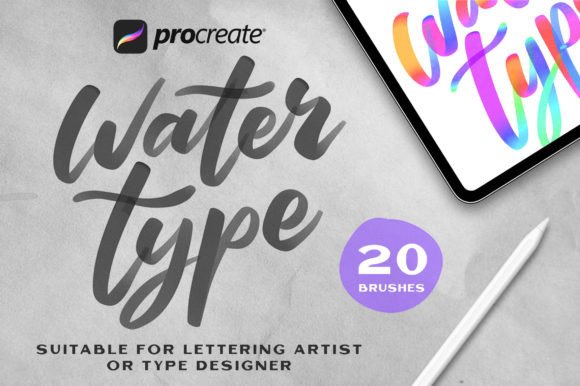
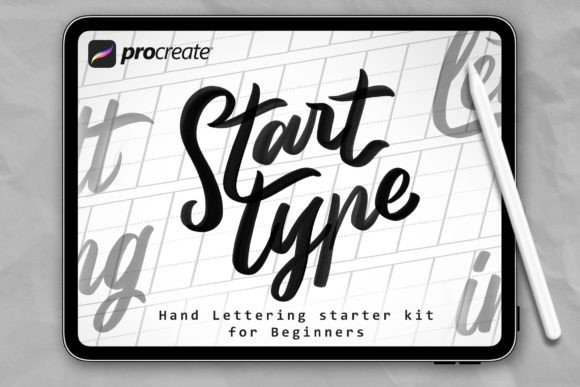
At its core, this collection is about accessibility and immediate utility. The package includes 20 Basic Lettering Brushes, which serve as the workhorses for any typographic project. These brushes are engineered to mimic natural media while maintaining the clean edges required for digital scalability. From bold, impactful headers to delicate, handwritten notes, the variety ensures that you can match the tone of your project precisely.
Complementing the lettering tools are 3 lettering Guide Brushes. These are particularly valuable for beginners or professionals who need to maintain consistent baseline alignment and spacing. Proper typography relies heavily on structure, and these guides help ensure that your custom lettering looks polished and intentional, rather than haphazard. When combined, these elements create a comprehensive toolkit that supports both freeform creativity and structured design principles.
Another notable quality is the simplicity of the user experience. Using a brush is very simple—just place the brush strokes and select the appropriate brush from the brush panel. There is no steep learning curve or complex configuration required. This immediacy is crucial for professionals working under tight deadlines, where every minute saved contributes to overall productivity.
Practical Applications Across Industries
The versatility of Start Type Procreate Brushes extends far beyond simple sketching. Here is how different professionals can leverage this tool in real-world scenarios:
- Branding and Logo Design: Entrepreneurs and graphic designers can use the basic lettering brushes to draft unique logotypes. The organic feel of the strokes adds a human touch to brands that want to appear approachable and authentic, distinguishing them from competitors using generic sans-serif fonts.
- Digital Marketing and Social Media: Content creators and marketers can quickly generate eye-catching headlines for Instagram stories or Pinterest pins. Custom lettering stands out in crowded feeds, increasing engagement rates by drawing the viewer’s eye through unique visual hierarchy.
- Educational Materials: Educators and publishers can create engaging worksheets, presentation slides, or textbook illustrations. The ability to highlight key terms with hand-lettered emphasis makes learning materials more dynamic and easier to digest for students.
- Editorial Illustration: Freelance illustrators working for magazines or blogs can integrate text directly into their artwork. Instead of treating type and image as separate layers, these brushes allow for a cohesive composition where words and visuals interact naturally.
Streamlining Your Workflow
One of the most significant benefits of adopting Start Type Procreate Brushes is the improvement in workflow efficiency. Traditional methods of creating custom lettering might involve sketching on paper, scanning, vectorizing, and then refining. With this digital solution, the entire process happens within Procreate. You can iterate quickly, undo mistakes instantly, and experiment with different styles without wasting physical materials.
Furthermore, the inclusion of a detailed Readme file ensures that users can get started immediately. Understanding how to install and organize your tools is half the battle when adopting new software assets. The clear instructions provided eliminate guesswork, allowing you to dive straight into creation.
Installation and Setup Guide
Getting started with your new tools is straightforward. The developers have prioritized a hassle-free setup process to ensure compatibility across devices. Follow these steps to integrate the brushes into your Procreate library:
- Unzip the Downloaded File: Once you have purchased and downloaded the package, locate the ZIP file on your iPad or computer. Use your device’s native extraction tool to unzip the folder, revealing the contents inside.
- Transfer Files to Your iPad: If you downloaded the file on a computer, use AirDrop, iCloud Drive, or a USB connection to transfer the .brushset files to your iPad. Ensure they are saved in a location accessible via the Files App.
- Import into Procreate: Open the Files App on your iPad and navigate to the folder containing the .brushset files. Tap each file individually. Procreate will automatically launch and import the brushes. They will appear in your Brushes panel, ready for immediate use.
This seamless integration means you spend less time managing files and more time creating. It is a testament to the user-centric design of the product, respecting the creator’s time and technical comfort levels.
Maximizing Value Through Technique
To truly get the most out of Start Type Procreate Brushes, consider combining them with other Procreate features. For instance, use the layer blending modes to add texture to your lettering, or apply adjustment filters to change the color palette dynamically. The basic lettering brushes respond well to pressure sensitivity, so experimenting with your Apple Pencil’s tilt and pressure can yield varied stroke widths and textures, adding depth to your designs.
Additionally, do not overlook the power of the guide brushes. Use them to construct a grid before you begin lettering. This practice ensures that your final piece has a professional structure, even if the style is loose and expressive. Consistency in spacing and alignment is often what separates amateur designs from professional-grade work.
In conclusion, Start Type Procreate Brushes is more than just a collection of digital tools; it is an enabler of creative expression. By providing high-quality, easy-to-use lettering and guide brushes, it empowers creators across various industries to produce distinctive, professional-looking work efficiently. Whether you are a seasoned designer looking to speed up your process or a hobbyist eager to explore typography, this package offers the reliability and flexibility needed to bring your ideas to life. Embrace the simplicity, leverage the versatility, and let your creativity flow with confidence.